Explainers · 5 min read
Does the clock start at purchase or activation? eSIM validity explained

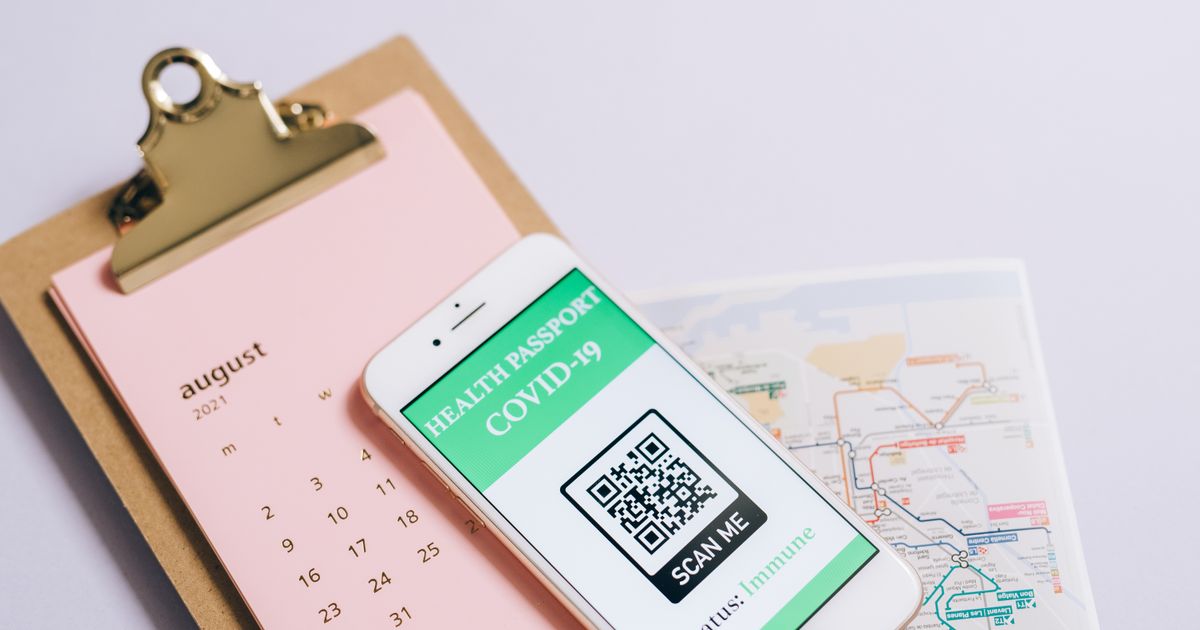
A 30 day plan can mean three different things, and the difference is whether the data is there when you land. Sellers write validity as a single number and leave the start point in the details, so two plans that both say 30 days can behave completely differently. One starts counting at checkout. One starts when your phone first connects abroad. And both come with a third clock, the install deadline, that kills the plan if you leave the QR code in your inbox too long.
Here are the three clocks, how to tell which applies, and the buying rule that means none of them catches you.
Clock one: the validity period
This is the number on the box. 7 days, 15 days, 30 days. It is how long the data is usable once the plan has started. What varies is the start trigger, and there are three versions.
From first connection (most plans)
The clock starts the first time the phone registers on a covered network in a covered country. Install it in March, fly in September, and the 30 days start in September. This is the traveller friendly model and the most common one across the 236,811 plans we track. It is also what sellers mean when they say activates on arrival.
From purchase (a minority)
The clock starts at checkout. A 7 day plan bought on Monday for a trip on Friday has three days left when you land. Sellers who do this usually say so, but not prominently. This model appears mostly on very cheap plans and on some daily unlimited plans.
From installation (rare, and worth knowing)
The clock starts when the profile downloads to the phone. Installing early, which every guide including ours recommends, wastes the days between install and departure. This is the least common model, but it exists, and the plan page will use words like activates upon installation.
Clock two: the install window
Separate from validity. Most sellers require the profile to be installed within a set period after purchase, often 30, 60 or 90 days, sometimes 180 or a year. Miss it and the QR code returns a no longer valid error, and the plan is gone. This catches people who buy during a sale for a trip months away.
The install window and the validity period are independent. A plan can have a 90 day install window and 7 days validity from first connection. Install on day 89, land on day 200, and the 7 days start on day 200. Install on day 91 and there is nothing to land with.
Clock three: activation deadline after install
A few sellers add a third rule: once installed, the plan must connect within a set period or it expires. This exists because a profile sitting installed but dormant occupies a slot on the network side. It is usually generous, 60 days or more, but it is there in the terms.
How to read a plan page
Look for these phrases, in the details or the terms rather than the headline.
| Phrase | Meaning |
|---|---|
| Activates on first use, on arrival, or when connected to a supported network | Validity counts from first connection. Install early, safely. |
| Valid for X days from purchase, or from the date of order | Validity counts from checkout. Buy the day before you fly. |
| Activates upon installation, or when the profile is downloaded | Validity counts from install. Install at the departure gate, not at home. |
| Must be installed within X days, or activation code valid for X days | The install window. Note the date. |
| Must be activated within X days of installation | The post install deadline. Rarely bites if you install a few days out. |
If a plan page gives none of this, that is a mark against the seller. We show the activation model on each plan in our comparison tables, and where a seller does not state it, we say so rather than guess.
The buying rule
Buy within the install window, install a few days before you fly, and only switch the line on when you land. On first connection plans, which is most of them, this means the full validity starts when you actually need it. On the rarer purchase and install plans, buy and install as late as you comfortably can.
Concretely: for a trip on the 20th, buy around the 15th, install on the 17th on home WiFi, leave the line switched off (iPhone: Turn On This Line off; Android: the SIM toggled off in SIM manager). Switch it on in the arrivals hall. Roaming on for that line, and it registers, and the clock starts then.
The late arrival problem
Most plans count validity in 24 hour blocks from activation. Land and connect at 11pm on the 20th with a 7 day plan, and it expires at 11pm on the 27th. That is fine unless your flight home is at midnight on the 27th, in which case you lose data for the last hour at the airport. A few sellers count calendar days instead, which means the 11pm connection burns almost a whole day of validity for one hour of use. The plan terms say which. If you land late and the plan counts calendar days, connect after midnight if you can wait.
Multi trip plans and the pause that does not exist
Once started, the clock does not stop. A 30 day plan used for one week in June has 23 days that run out in July, used or not. There is no pause. If you make two trips a month apart, two plans are cheaper than one long one, unless the long one is priced so well that the wasted days do not matter. Across our data, the 21 to 50 GB tier averages $1.30 per GB against $3.95 for the 4 to 5 GB tier, so occasionally a long plan is the better buy even with waste. Do the maths per trip rather than assuming.
What good sellers do
They state the activation model in one line on the plan page. They give a long install window. They send a reminder before the install window closes. And they show, in their app, both the install deadline and the validity remaining. When a seller does all four, buying early is safe. When a seller does none, buy the day before and install at the gate. Our provider pages note which is which, and every plan on our country pages carries its validity model alongside its price per GB.
Questions people ask
When does a travel eSIM start counting its validity?
For most plans, at first connection to a network in a covered country. A minority count from purchase, and a few from the moment the profile is installed on the phone. The plan details page says which. If it does not say, assume the worst case and buy close to departure.
Does an eSIM expire if I never install it?
Usually, yes. Most sellers give 30 to 90 days from purchase to install the profile, sometimes up to a year. After that the QR code is dead and the plan with it. This install window is separate from the plan's validity period.
Can I install the eSIM early and activate it later?
On plans that count from first connection, yes, and it is the recommended approach. Install at home on WiFi, leave the line switched off or with roaming off, and it activates when you land and switch it on. On plans that count from installation, installing early wastes days.
What does activation mean exactly?
First registration on a covered network. Not installation, not purchase. The moment the phone connects to a tower in a country on the plan's list, the seller's system starts the validity countdown. Connecting to WiFi does not count.
What if I land late at night, does that day count?
Yes. Validity is measured in 24 hour periods from first connection on most plans, so a plan activated at 11pm on day one expires at 11pm on the last day, not at midnight. A few sellers count calendar days, which is worse if you land late.
Can I pause an eSIM between two trips?
No. Once the validity clock starts it runs continuously. A 30 day plan used for a week in June has 23 days left that expire in July whether you use them or not. Buy per trip, or buy a plan sized for the whole period.
Compare plans for popular destinations
236,811 plans from 61 sellers, ranked by real price per GB, with prices checked against the shops themselves.