Guides · 5 min read
Keep WhatsApp, iMessage and your number while using a travel eSIM

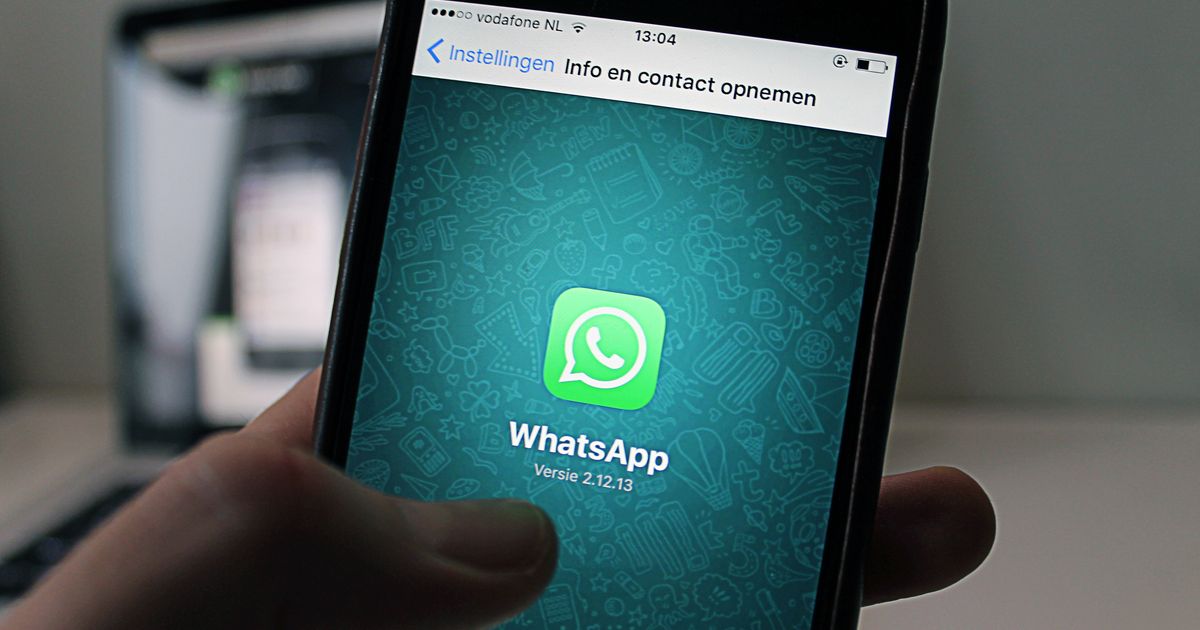
A travel eSIM changes one thing: where your phone's internet comes from. It does not change your phone number, and it does not change the number any of your messaging apps are registered to. WhatsApp, iMessage, Signal and Telegram all carry on exactly as before. Most of the worry around this comes from a decade ago, when travelling meant swapping in a local SIM and the apps genuinely did get confused. With an eSIM there is no swap, and there is nothing to set up.
That said, there are two settings that make it smooth and one button that breaks everything, so this guide covers both.
How WhatsApp is actually tied to your number
When you first set up WhatsApp, it sent a code to your number and you typed it in. From that moment the account is registered to the number. It does not check the SIM again. It does not care whether the number is on a physical SIM, an eSIM, or no SIM at all. It only needs an internet connection, from anywhere. People run WhatsApp on tablets with no SIM slot. That is the same situation as your phone running WhatsApp over a travel eSIM.
iMessage works the same way, registered to your Apple ID and number. Signal and Telegram likewise. The travel eSIM is just the pipe.
The setup
- Install the travel eSIM at home over WiFi, before you fly.
- Set it as the mobile data line. iPhone: Settings, Cellular, Cellular Data, choose the eSIM. Android: Settings, Connections, SIM manager, Mobile data, choose the eSIM.
- Leave your home SIM on, with its data roaming switched off. This keeps your number reachable for calls, SMS and bank codes at no data cost.
- iPhone only: under Cellular Data, switch off Allow Cellular Data Switching. Otherwise the phone may quietly move data back to the home SIM when the eSIM's signal dips, and start roaming.
- Open WhatsApp. Send a message. That is it. There is no step five.
The button not to press
WhatsApp has a setting called Change Number under Settings, Account. It exists for people who have genuinely got a new number. It migrates the account to the new number and tells your contacts. If you tap it and enter the number from a travel eSIM that happens to include one, your account moves to a temporary foreign number that stops existing when the plan expires. Your contacts get a notification that you changed number, and when you get home you have to migrate back.
You do not have a new number. Your number is the same. Do not press it.
If WhatsApp asks you to verify
A reinstall, a new phone, or a long time logged out can trigger a fresh verification. WhatsApp sends a code to the registered number by SMS, or offers to call it. Both need your home SIM to be on and able to receive while roaming, which is free on nearly every carrier. If the SMS does not arrive, choose the call option. If neither works, connect to WiFi and use WhatsApp's link as companion device flow from another phone that has the app. Do not, at any point, choose to register with a different number.
For bank codes, which have the same dependence on the home SIM, we wrote a separate guide.
iMessage and FaceTime
iMessage registers to your Apple ID, and your phone number is added as an address. Over the travel eSIM it works without change. Two things can happen if you turn the home line off completely:
- iMessage may show waiting for activation for the phone number address, while still working through your email address. Turning the home line on for a minute registers it.
- Messages to people who are not on iMessage fall back to SMS, which goes through the home line and is charged at roaming SMS rates for outgoing. Incoming is free. If you send a lot of green bubble texts, check your carrier's outgoing SMS roaming rate.
FaceTime is pure data and works normally.
Signal and Telegram
Both are registered to your number and both run purely over data once registered. Signal's registration lock, if you have set a PIN, means a reinstall abroad asks for the PIN rather than an SMS, which is convenient. Telegram allows multiple devices and will send the login code to an existing session first, so if you also have Telegram on a laptop, verification never needs SMS at all.
What data messaging actually uses
None of this needs a big plan. Rough figures over a travel eSIM:
| Activity | Data |
|---|---|
| Text messages, a day of heavy chatting | 5 to 10 MB |
| Photos, each | 0.5 to 2 MB, more if you send at full quality |
| Voice note, per minute | Under 1 MB |
| WhatsApp voice call, per minute | About 1 MB |
| WhatsApp or FaceTime video call, per minute | 5 to 10 MB |
A daily half hour video call home for a week is about 2 GB. Everything else in messaging is a rounding error. Our guide to how much data a week needs has the rest of the budget.
What your contacts see
Nothing. Your number is unchanged, your profile is unchanged, and messages arrive from the same chat as always. The only visible difference is that your last seen and online status keep updating while you are abroad, because the eSIM keeps you connected. If you would rather not be reachable at three in the morning local time, mute the noisy groups or use Do Not Disturb, rather than turning anything off in WhatsApp itself.
To be clear: install the eSIM, make it the data line, leave the home SIM on with roaming off, and open WhatsApp. Nothing else. The only way to break it is to tell WhatsApp you have a new number, which you do not.
The one case where you do get a new number
A few sellers offer travel eSIMs with a local phone number for calls and SMS. Of the 236,973 plans we track, 591 do. If you buy one, the number is for calling hotels and restaurants locally. Keep WhatsApp on your real number. Your contacts have that one, and the local number disappears when the plan ends.
Questions people ask
Will my WhatsApp number change if I use a travel eSIM?
No. WhatsApp is registered to the number you verified, and it stays registered to it whatever SIM is carrying your data. Add the eSIM, use it for data, and WhatsApp carries on exactly as before, on your existing number and with your existing chats.
Do I need my home SIM active for WhatsApp to work abroad?
No. WhatsApp only needs an internet connection once it is registered. Your home SIM can be switched off entirely and WhatsApp still works over the eSIM's data. You only need the home SIM on if you want to receive bank codes, calls and ordinary SMS.
Does iMessage work on a travel eSIM?
Yes. iMessage registers to your Apple ID and your phone number, and it sends over data. It keeps working over the travel eSIM with no change. If the home SIM is off, iMessage may briefly show waiting for activation; turning the line on for a moment fixes it.
Should I tap Change Number in WhatsApp when I travel?
No. That is the one thing that breaks it. Change Number registers your account to a new number, and your contacts see a new number. There is nothing to change: your number is the same, only the data source is different.
Can I use WhatsApp calls on a travel eSIM?
Yes, they are data calls. A voice call uses roughly 1 MB a minute and a video call 5 to 10 MB a minute, so a 3 GB plan comfortably covers a week of daily calls home.
What if WhatsApp asks me to verify again abroad?
That happens after a reinstall or a new phone. The code goes to your registered number by SMS, so your home SIM needs to be on with roaming SMS working, or you can choose the call me option. Do not switch to a different number to receive it.
Compare plans for popular destinations
236,973 plans from 61 sellers, ranked by real price per GB, with prices checked against the shops themselves.